More from the QuickBooks you already run.
Facet apps work alongside QuickBooks on your own PC. They read your company data and give you reports a reviewer can act on and documents your customers will actually read. Your data stays where it is.
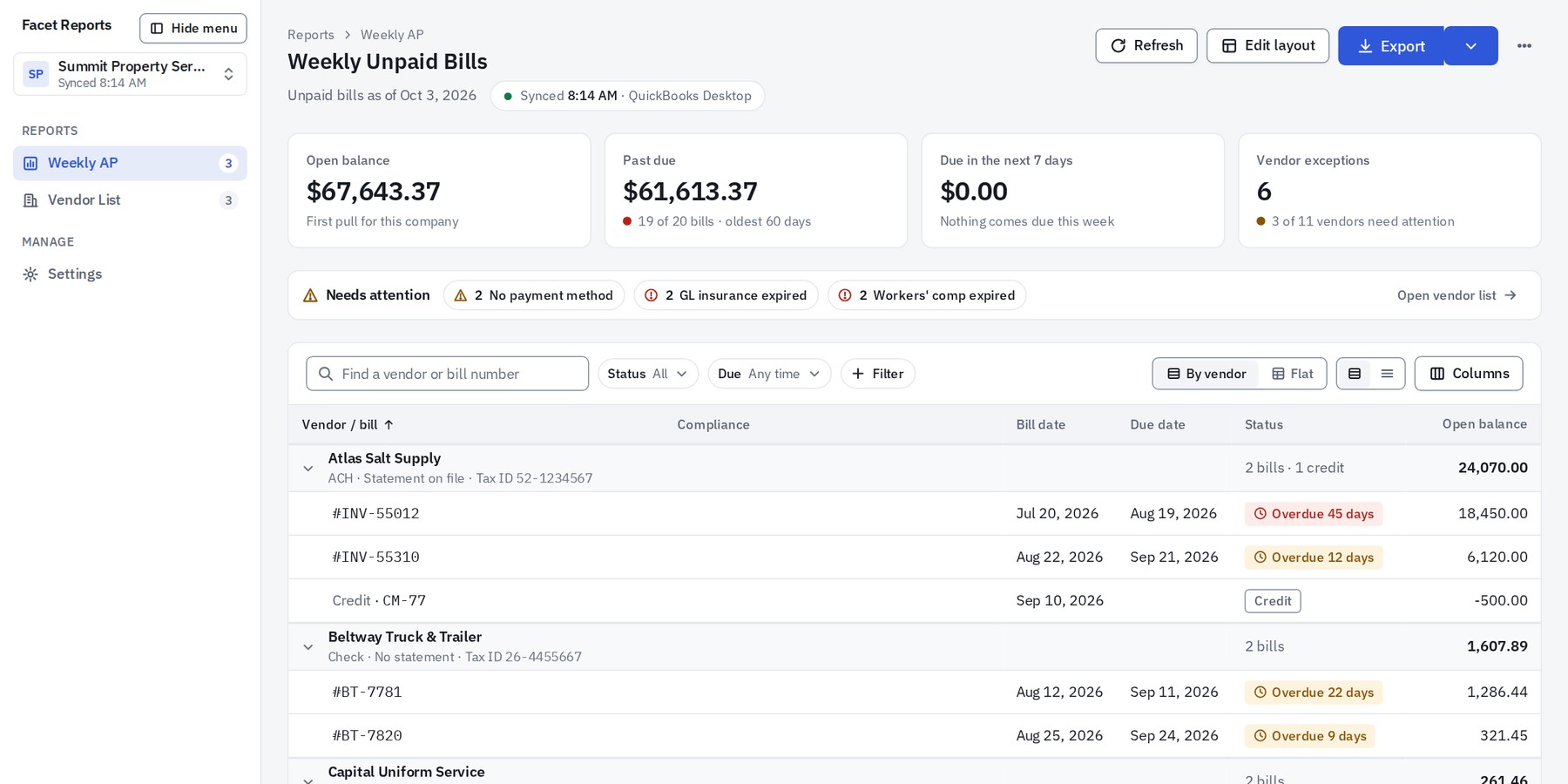
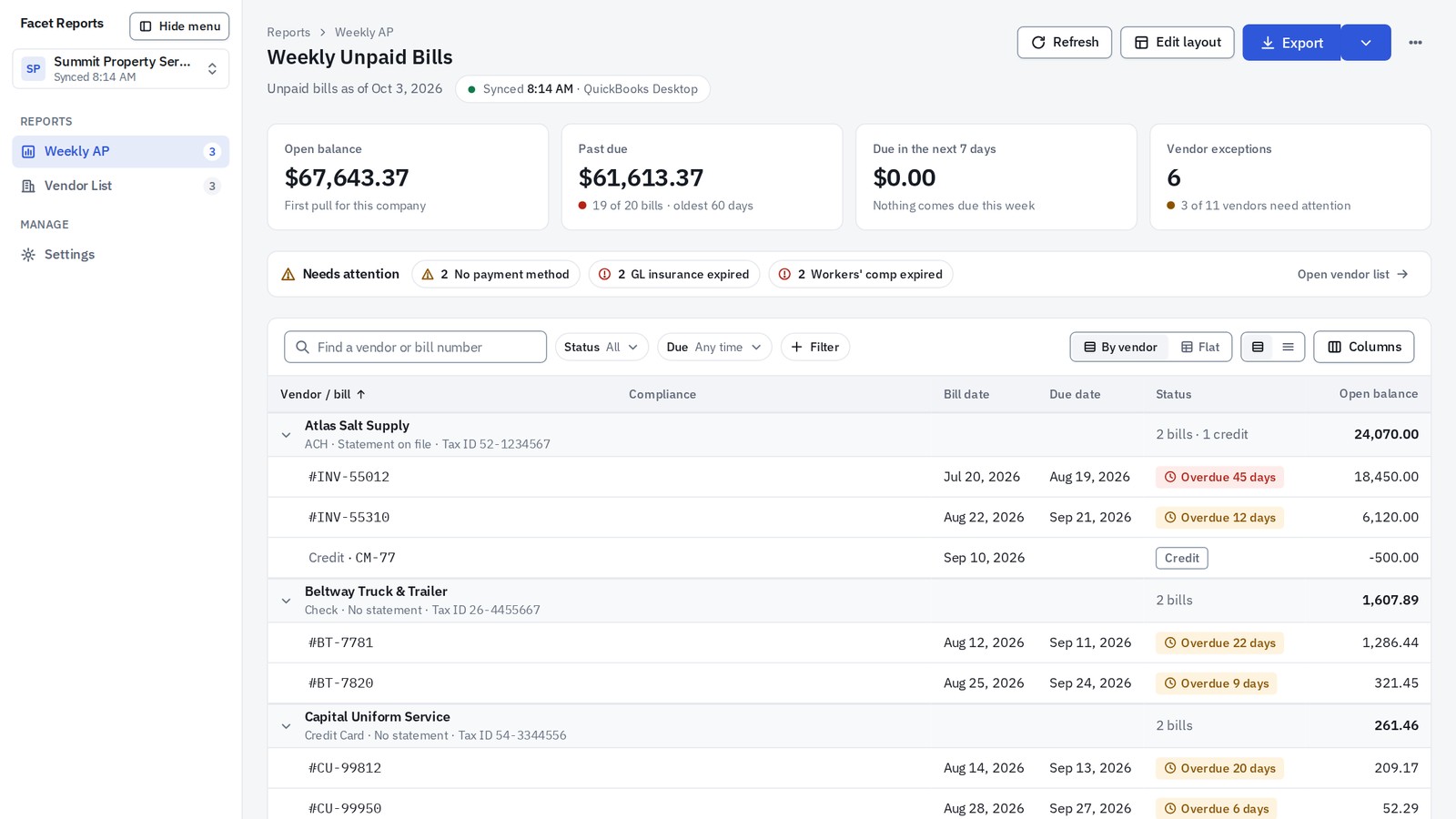
Decision-ready reports, built on your QuickBooks Desktop data.
Facet Reports connects through the application interface built into QuickBooks Desktop. It reads your company file and never writes to it. Your data stays on the PC where QuickBooks runs.
The first report is Weekly AP.
Every unpaid bill, grouped by vendor, with the vendor's payment method, statement preference, Tax ID and insurance-certificate status beside it. Exceptions become clickable chips that narrow the table to the vendors involved. Four stat tiles answer the weekly questions: what is open, what is past due, what comes due this week, and which vendors need attention.
- Vendor facts shown once, beside the vendor, not on every bill.
- Expired certificates and missing payment methods, called out in words.
- Totals that tie to the QuickBooks report they came from.
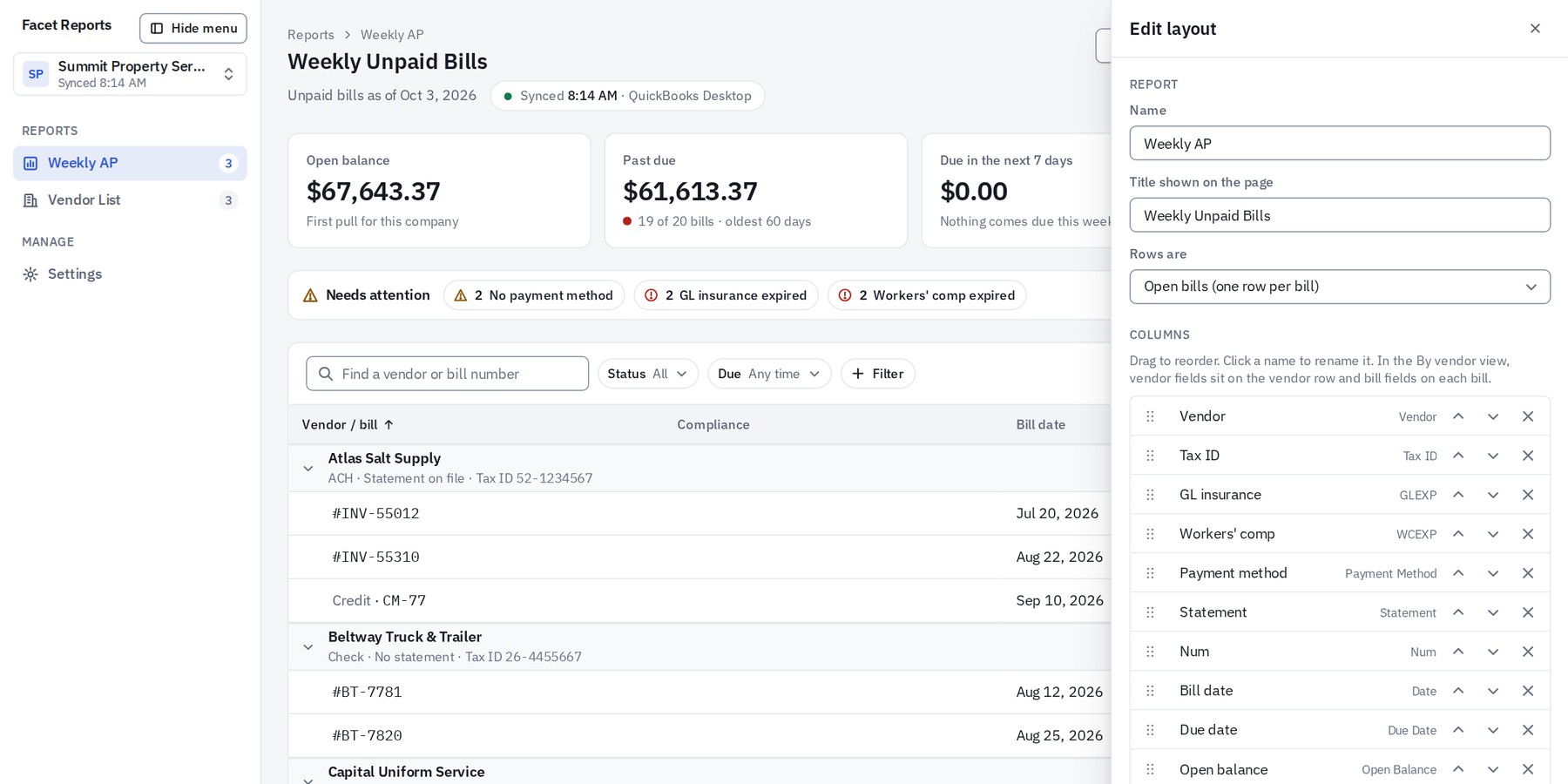
Layouts you design
Build a layout from any QuickBooks field and save it as its own report. Run it next week with one click.
Every company, one app
Each company you pull stays in Facet Reports. Switching clients is a click, not a new setup.
Excel export
Real dates and real numbers in every cell, so the workbook sorts, filters and sums the way you expect.
Designed for paper
A print layout with headers that repeat on every page and rows that never split.
Light and dark themes
Two themes, each chosen for long days in front of the screen. Switch whenever you like.
Your logo and color
Reports carry your firm's mark and accent color, on screen, in print and in the PDF.
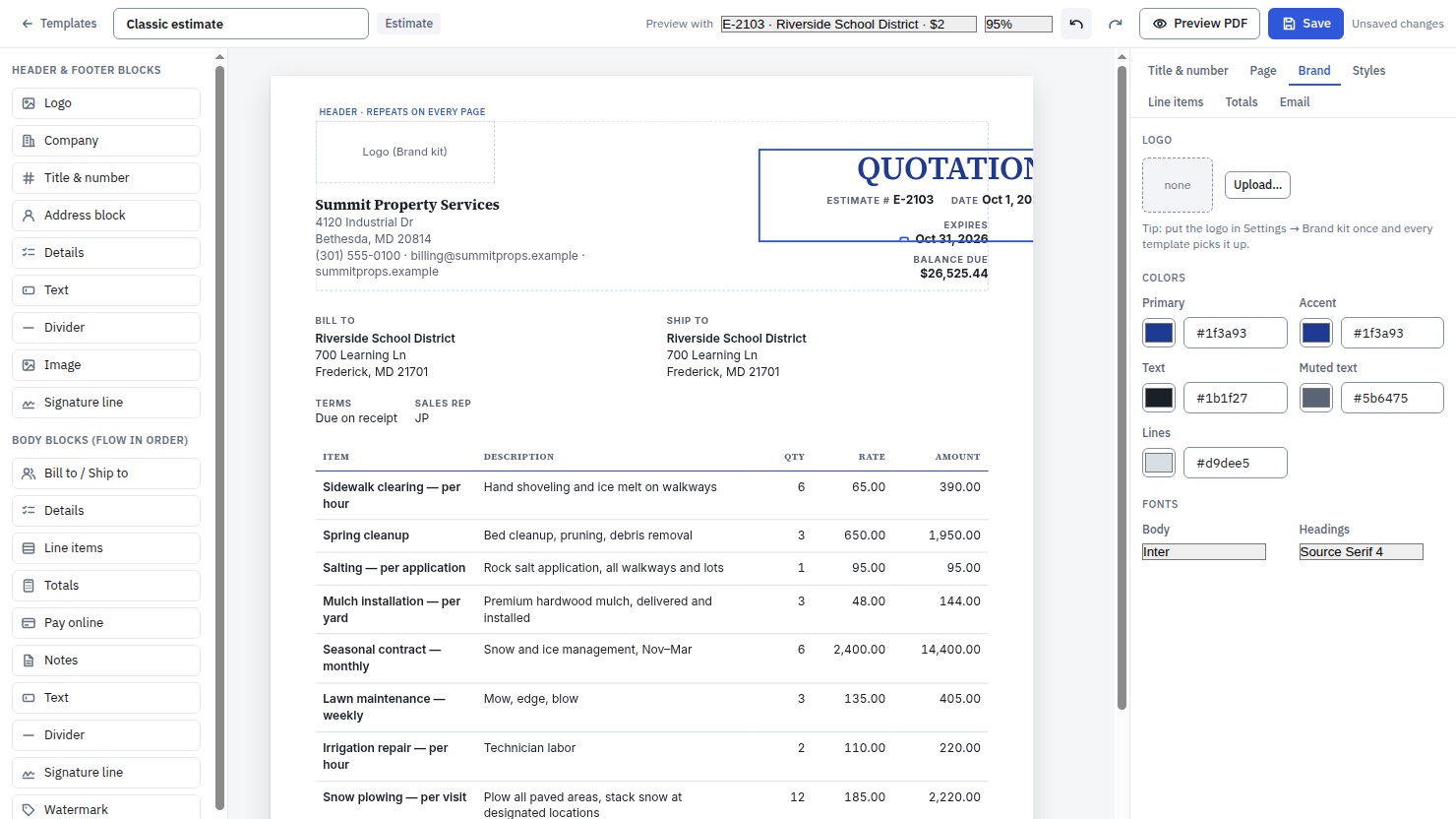
Invoices, estimates, credit memos and purchase orders with your company's look, built from your QuickBooks Online data.
Start from one of six finished designs and a two-minute wizard. Open the Studio when you want to go further.
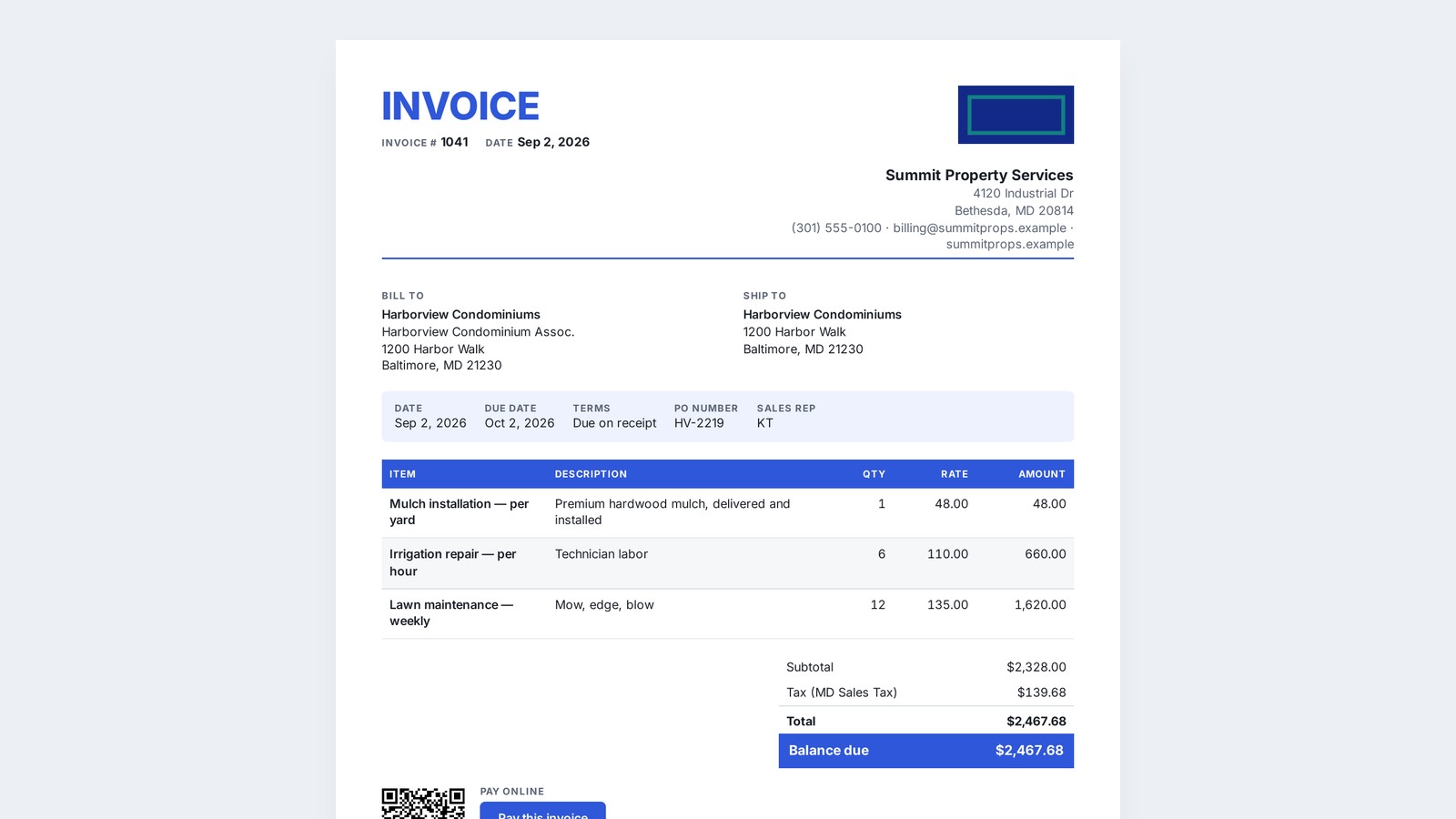
Six starter designs
Finished layouts you can send today. The wizard asks for your logo, your colors and a few preferences, and takes about two minutes.
The Studio editor
Drag-and-drop blocks. Every font, color, column and label is yours to set, and you preview with your real documents as you work.
Headers and footers on every page
Long invoices stay readable. Your header and footer repeat on each page of the PDF.
QuickBooks Payments on the page
A pay link and a QR code on every invoice, so customers can pay from the PDF or from paper.
Email from your own mailbox
Microsoft 365, Google Workspace or any SMTP server. Facet Forms then marks the document sent in QuickBooks and attaches the PDF to the transaction.
Batch send, templates as files
Send a day's documents in one pass. Export any template as a file to share with another company or keep on hand.
How it works
Installed beside QuickBooks, on the computer you already use.
Runs on your PC
One installer. No server to stand up and no new account to create. Facet runs next to QuickBooks, and your company data never leaves the machine.
Reads, and writes only what you ask
Facet reads your QuickBooks data. The only writes are the two you trigger yourself: marking a document sent and attaching its PDF when you email from Facet Forms.
Your tools, your brand
Your mailbox sends the email. Your logo, your colors and your layouts shape every report and every document.
On the roadmap
PlannedWhat we are building next. Planned, not promised, and without dates until they are real.
- Facet Reports for QuickBooks Online and Intuit Enterprise Suite
- Custom fields and dimensions on forms
- AP aging and vendor compliance reports
- Commissions
Pricing
Own it outright. Keep it current with a Support & Updates plan.
- A one-time license per app that never locks
- Optional monthly Support & Updates
- Setup and training by Fourlane consultants
We will walk through your company file, your reports and your documents, and tell you plainly what Facet will and will not do for you.
FAQ
Questions accountants ask first.
Does it change my books?
No. Facet reads your data. The one exception is when you email from Facet Forms: it marks the document sent in QuickBooks and attaches the PDF to that transaction, and nothing else.
Where is my data?
On your PC, where QuickBooks keeps it. Facet does not copy your company data to a server.
Which QuickBooks editions?
Facet Reports works with QuickBooks Desktop Pro, Premier, Enterprise and Accountant. Facet Forms works with QuickBooks Online and Intuit Enterprise Suite.
Does it need IT?
No admin rights. Each person installs Facet for their own Windows user, the same way they would any desktop app.
Can I design my own?
Yes. The starters get you to a finished report or document in minutes, and the designers go as deep as you like from there.